

GDPR Customer Data Deletion
Overview
This feature introduces both backend and UI capabilities for permanent contact deletion.
On the backend, a single deletion mechanism enables the permanent deletion of one or multiple Contact IDs, along with all associated artefacts, including recordings, emails, transcripts, attachments, chat messages, and related metadata.
Each deletion is logged for audit purposes.
User Experience
In the UI, authorised users will see a new ‘Delete Contact’ button within Contact Search (View Contact Record).
When the ‘Delete Contact’ button is selected, a confirmation modal is displayed.
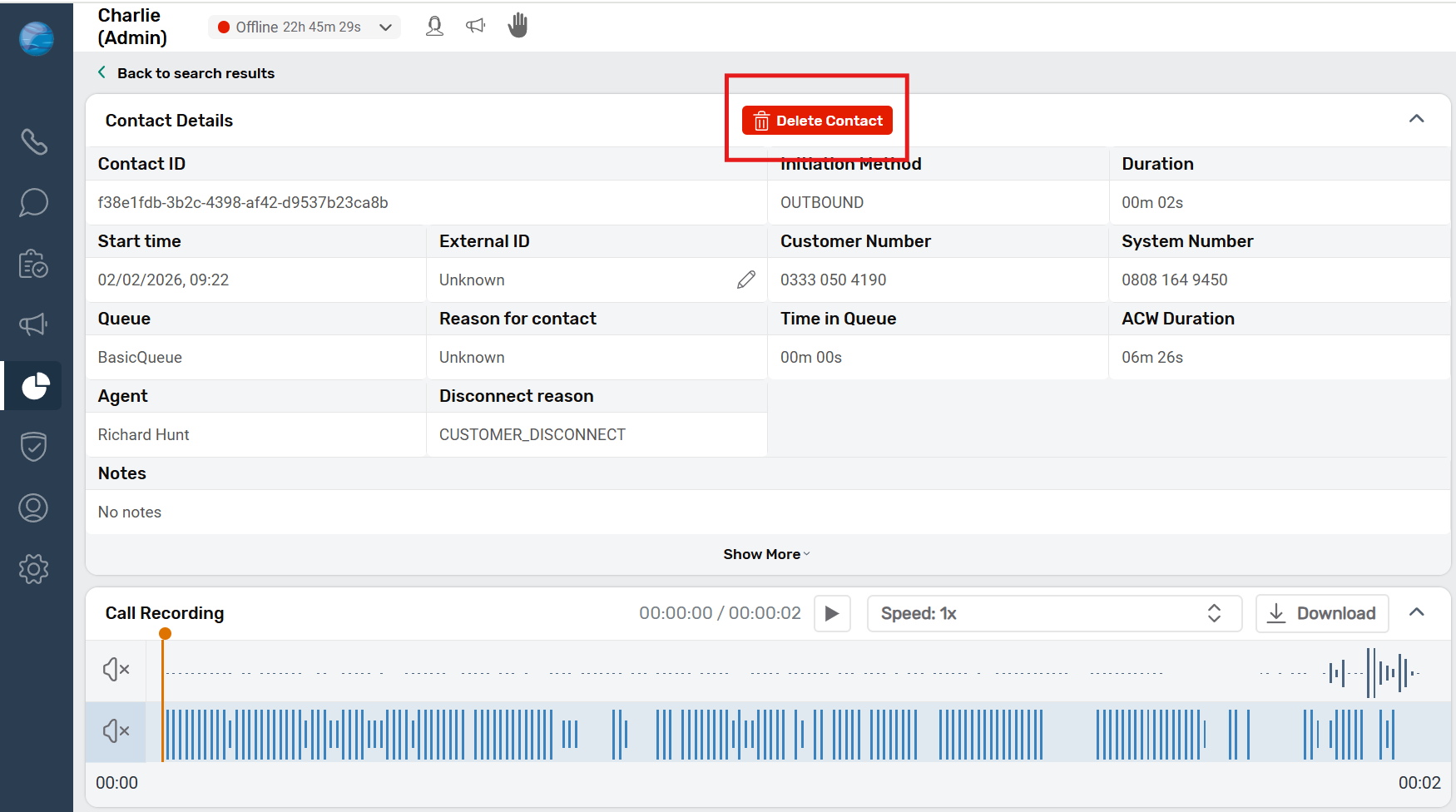
When the ‘Delete Contact’ button is selected, a confirmation modal is displayed.
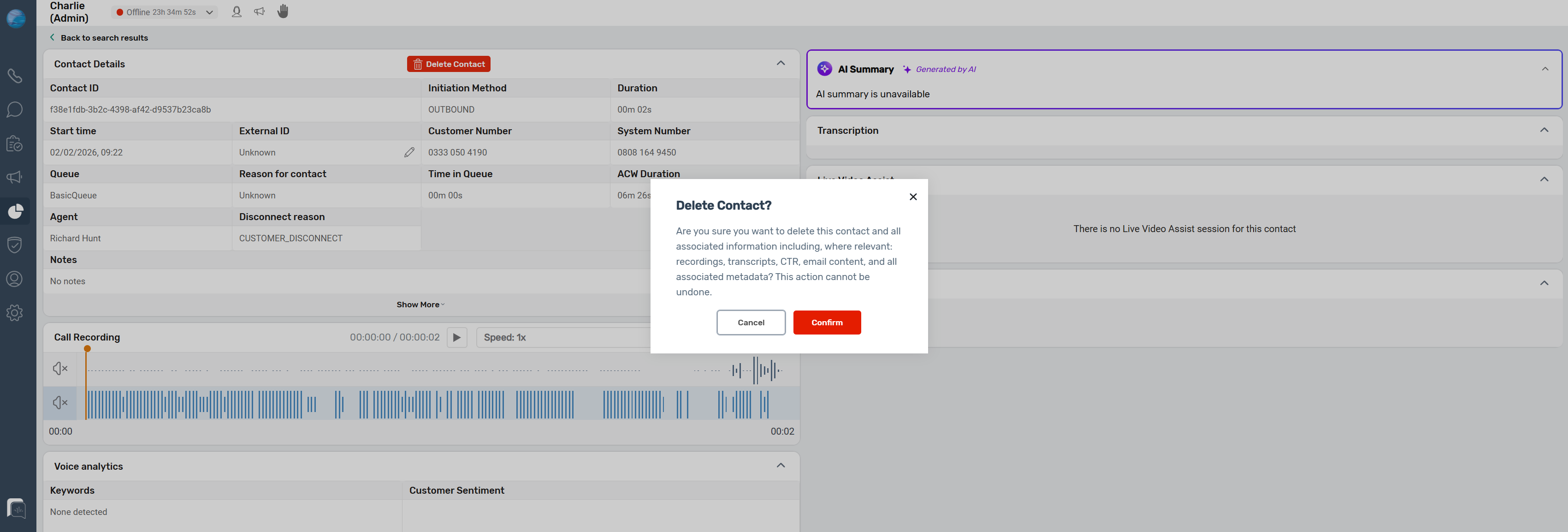
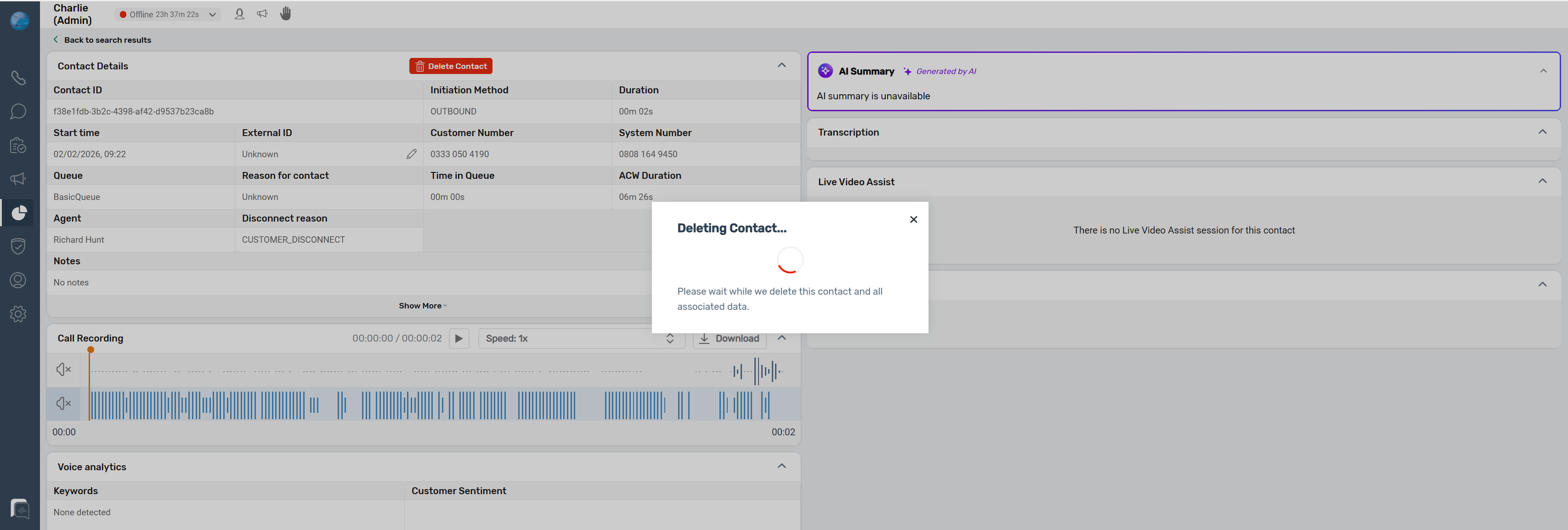
Upon confirmation:
- The system triggers the backend deletion process.
- The selected contact and all related data across every supported channel are permanently removed
- The process can take up to 30 seconds to complete.
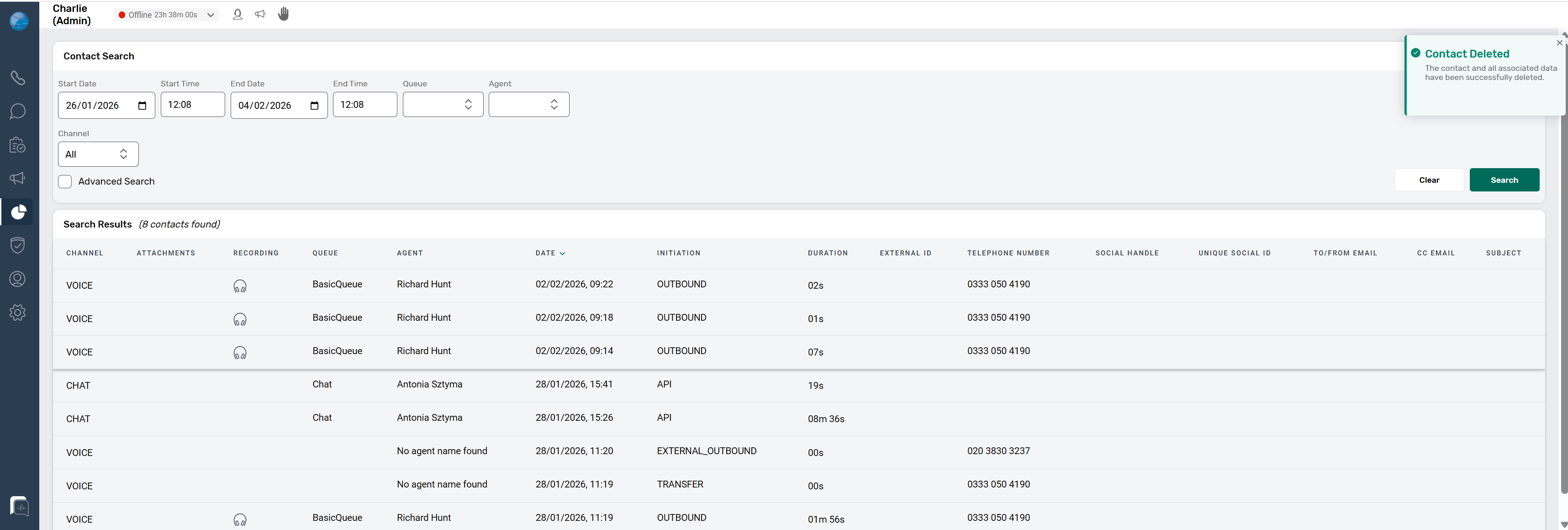
Once the deletion process completes:
- A success toast message is displayed in the top-right of the screen.
- If the deletion fails, a failure toast message is shown instead.
Note: If the user closes the ‘Deleting Contact’ modal before completion, the success or failure message will not be displayed.
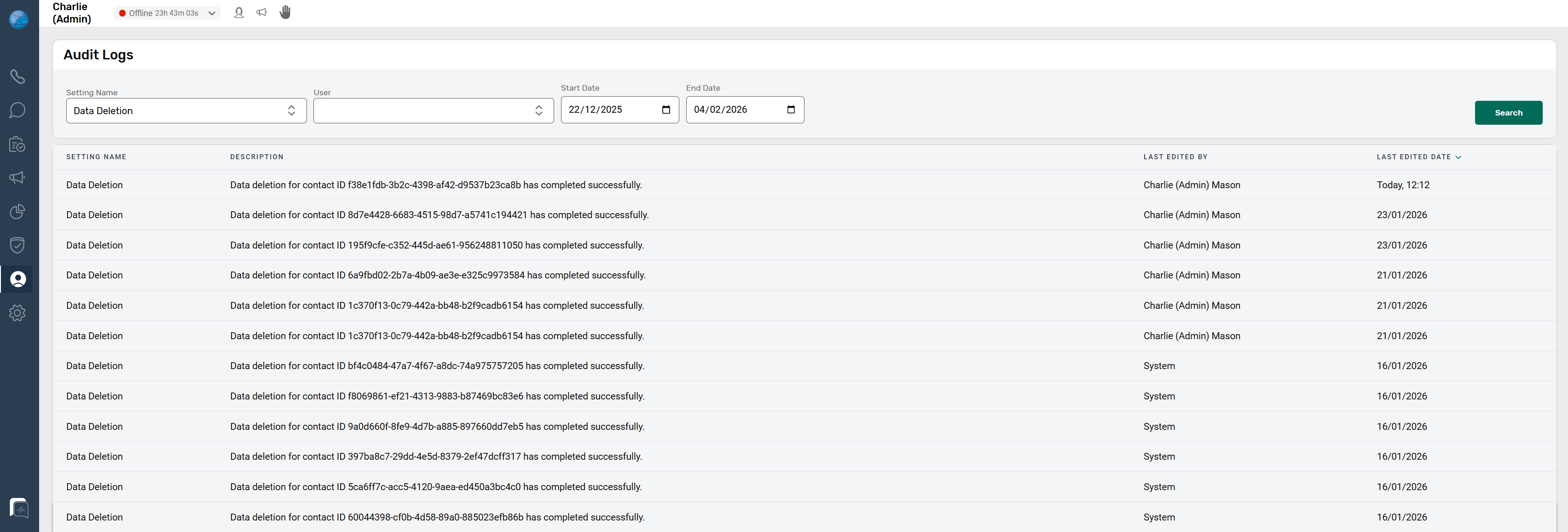
Users can also verify the deletion status via the Audit Log, where:
- The Setting name is set to ‘Data Deletion’
- Optional filters can be applied, including:
- User
- Start Date
- End Date
- Functionality
Functionality
- Ability to Permanently delete one or multiple contacts
- Backend script can be used to delete multiple contact ID’s at once
- Remove all associated artefacts across supported channels and storage, including:
Contact Search / History
- OpenSearch index
- CTR index
Data Warehouse
- S3 data storage
- Data warehouse records
- ETRs
Email / Webform
- Email content
- Threads
- Attachments
- Webform submissions
Voice
- Call recordings
- Transcripts
- QA evaluations
- Video sessions (video/images)
- Sentiment data
Webchat / WhatsApp / SMS
- Chat messages
- Attachments
- ETRs
Social
- Facebook messages (DMs/comments)
- Other supported social artefacts
UI & Permissions
- Provide a ‘Delete Contact’ button on the View Contact Record page in Contact Search
- The button is only visible to users with the appropriate permission
- Display a confirmation prompt before deletion
Audit & Confirmation
- Generate an audit log entry for every deletion, recording:
- Who performed the deletion
- When it occurred
- Which Contact IDs were deleted
- Provide clear confirmation in the UI once the deletion has completed (success or failure).